We are lucky to have access to KeyNote on our MLTI devices, but if you are looking for a different tool to use in your classroom, then Metta may be what you need. Metta allows users to combine YouTube videos, images from your device or the web, content from Twitter or Pinterest, and audio recordings to make a multimedia presentation. A great feature of Metta is that now you can save your presentations into your Google Drive Account, where you can then share them with those users who need access to them. Metta also allows you to insert a quiz into your projects. This means that people viewing your Metta projects can watch a short video clip then answer questions about it before moving onto the next part of the presentation.
Monday, December 16, 2013
Day Sixteen: Metta
Labels:
AdventCalendar,
multimedia,
presentation,
Web2.0
Sunday, December 15, 2013
Day Fifteen: Fluid
If you use web applications like Gmail, Pandora, or YouTube, you can now create a Mac App out web application rather than running these web applications on separate tabs in your browser. Simply put, you can now turn your favorite web apps into OS X desktop apps.
Creating a Fluid App out of your favorite website is simple. Enter the website's URL, provide a name, and optionally choose an icon. Click "Create", and within seconds your chosen website has a permanent home on your Mac as a real Mac application that appears in your Dock. Fluid is free. You can download Fluid for free and create as many Fluid Apps as you like.
Saturday, December 14, 2013
Day Fourteen: YouTube Audio Library
Friday, December 13, 2013
Day Thirteen: Form+
Google Forms has been available to teachers for a few years now, and while it has been a great tool for collecting data, creating online assessments, making lesson plans, it would be nice if you could do more with it. That is where Form+ comes in. Form+ is an Google Chrome app that works with your Google Drive account. It allows you to easily create forms similar to how you would in Google Drive, but there is the added ability to have users of the form upload a document that is attached to the creator's form spreadsheet and Drive account. This would be great for students to "pass in" assignments or for teachers to attach documents to their lesson plans.
Thursday, December 12, 2013
Day Twelve: MathBox.org
MathsBox.org calls itself "A box of Extras for busy teachers." It is a great resource for math teachers to find activators, warm-ups, and various math games that are ready to print. The site also provides worksheets for practice of several skills. You can find resources for Numbers & Number Sense, Algebra, Shapes, Data, & Mixtures.
Wednesday, December 11, 2013
Day Eleven: eQuizShow
What sets eQuizShow apart from the other online quizshow creators, is that you do not need to upload premade presentation slides, nor do you need to download anything. It is all done online and on the site. Teachers can view other quizshows that were created by other teachers, or they can make their own. eQuizShow is the epidemy of a Web2.0 tool:
- It is free.
- It is online.
- Your device's platform does not matter.
- There is no registration required.
- Your equizshows are always available to you.
Tuesday, December 10, 2013
Day Ten: What's the Problem?
What's the Problem is an interactive math resource site that parodies eight TV reality shows to help students find and avoid common mathematical mistakes. Users take part in activities that involve real-life math problems. Each activity focuses on the students' development and utilization of standards such as Number & Number Sense, Data Analysis & Probability, Mathematical Processes, & Measurement.
Monday, December 9, 2013
Day Nine: Beyond the Bubble
The Stanford History Education Group has created Beyond the Bubbleto help history educators teach students by primary source documents. This is a great lesson resource that requires students to use higher order thinking skills to analyze the primary source documents. Assessment of student learning is a breeze because each lesson comes with not only a scoring rubric, but examples of student responses for each score. Beyond the Bubble goes way beyond the typical text-based lesson and expects much more thoughtful and engaging answers than a multiple-choice assessment, hence the name.
Sunday, December 8, 2013
Day Eight: Flashy Math Games
Just as the title suggests, Flashy Math Games are math related games made with Flash. Most of the games are pre-algebra/algebra related but there are others and a timer as well.
Saturday, December 7, 2013
Day Seven: An Hour of Code
Day Seven: An Hour of CodeWe live in a world surrounded by technology. But only a tiny fraction of us ever learn how computers work, or how to create software technology. Computer Science provides a foundation for virtually any career and our entire population can benefit from learning the basics.
This year, for Computer Science Education Week (December 9th - 15th), a massive campaign called the Hour of Code is introducing 10 million participants to try one hour of introductory computer science.
I’d like your help bringing this campaign to LRMS.
You can learn more about this by viewing the introductory video herehttp://www.youtube.com/watch?v=hfZrX5YDitU#t=25
Please see http://csedweek.org, and sign up to participate!
This year, for Computer Science Education Week (December 9th - 15th), a massive campaign called the Hour of Code is introducing 10 million participants to try one hour of introductory computer science.
I’d like your help bringing this campaign to LRMS.
You can learn more about this by viewing the introductory video herehttp://www.youtube.com/watch?v=hfZrX5YDitU#t=25
Please see http://csedweek.org, and sign up to participate!
Friday, December 6, 2013
Day Six: Mashpedia
Advent Calendar Day Six: Take Wikipedia, YouTube, news websites, and Amazon book recommendations and "Mash" them altogether, and you get Mashpedia. Mashpedia is a free online research tool that combines all the above tools to give the user a comprehensive list of online resources about their search query in a variety of mediums. Mashpedia could be used by students who are working on biographies, current events, or other report-like projects.
Thursday, December 5, 2013
Day Five: Flippity
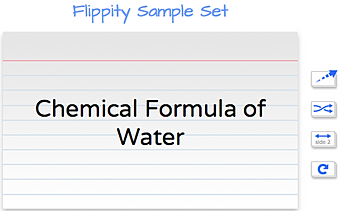
Advent Calendar Day Five: If you were to scour Google Drive templates and scripts you would find some tools for making flash cards, but none of them would be as simple to use asFlippity.net. Flippity is a tool that allows you to create online flash cards using data in your Google Spreadsheets. Flippity has great instructions that guide you through using the template, entering your data, and publishing your flashcards. Once published you can bookmark and/or distribute the url that will allow you or your students to access the flashcards. Flippity also allows you to to shuffle the cards as well. While memorizing vocabulary does not require the highest level of thinking skills, it is sometimes necessary. Flippity is a good tool for creating flashcards and distributing them easily. Once you have done this for your students a couple of time, have them create their own. I know my own boys did much better with memorizing vocabulary when they had to make the flashcards themselves.
Wednesday, December 4, 2013
Day Four: Padlet
Advent Calendar Day Four: Padlet, formerly Wallwisher, is a site to do collaborative work. If you never tried Wallwisher or paadlet, don't let fear of something new stop you, because it is very simple to use. To get started simply go to padlet.com and click "build a wall." Next, title your wall, choose a URL for your wall, enter your name and email, and start adding sticky notes to the wall. Not only can you put up to 160 characters in a stickynote, but you can put in images, youtube videos, and other documents on to your padlet wall. It is up to you whether your wall is public or private. You can control the settings so that if you want to approve additions to the wall before they appear, that's a possibility too. You may want to choose the public settings when using this in a classroom setting so you only need to give students the URL of your wall in order for them to add notes to it.
Tuesday, December 3, 2013
Day Three: What Do You Love?
Advent Calendar Day Three: What do you love is a search engine the people at Google created to let users see how they could used Google tools to find out more or share with others information about what they love. Give it a try. You will probably get some interesting results or even learn about some tools that you didn't even know Google had. Type in something that you love—sea turtles, archeology, snow shoeing, Katy Perry, cooking—whatever you are passionate about. No matter what it is, Google will give you back something that will let you get even more into what you love.
Monday, December 2, 2013
Day Two: Kaizena
Advent Calendar Day Two: Kaizena is a web tool that allows you to add voice comments to Google Documents that are in your Google Drive, whether they are yours, or if they are shared with you. To use Kaizena, you need to authorize permission for it to access your Google account. Once that is done, you can open any document in your Drive, highlight a selection of text, and record your comments for students to listen to. The video above does a great job of walking you through this process. This is a great tool for providing audio feedback on students' written work.
Subscribe to:
Posts (Atom)